





Automate The Data Entry
Not The Understanding
Eliminate the manual drudgery on bid day. We automate the data entry of all bids while you
copy and paste into your own Excel or Google Sheets bid tab to complete your leveling.

Forever Free. No credit card required
The Flow
Four Steps From ITB To Bid Day
You keep your scopes and your bid tab sheet. We handle all the data entry.
Send Us The Invitation To Bid
Forward each invitation to bid (ITB) to your ConstructionBevy account. We create the project for you in the Bid Coverage Board and give you a unique email address for that one project.
Copy Your Scopes Into Your Project Spreadsheet
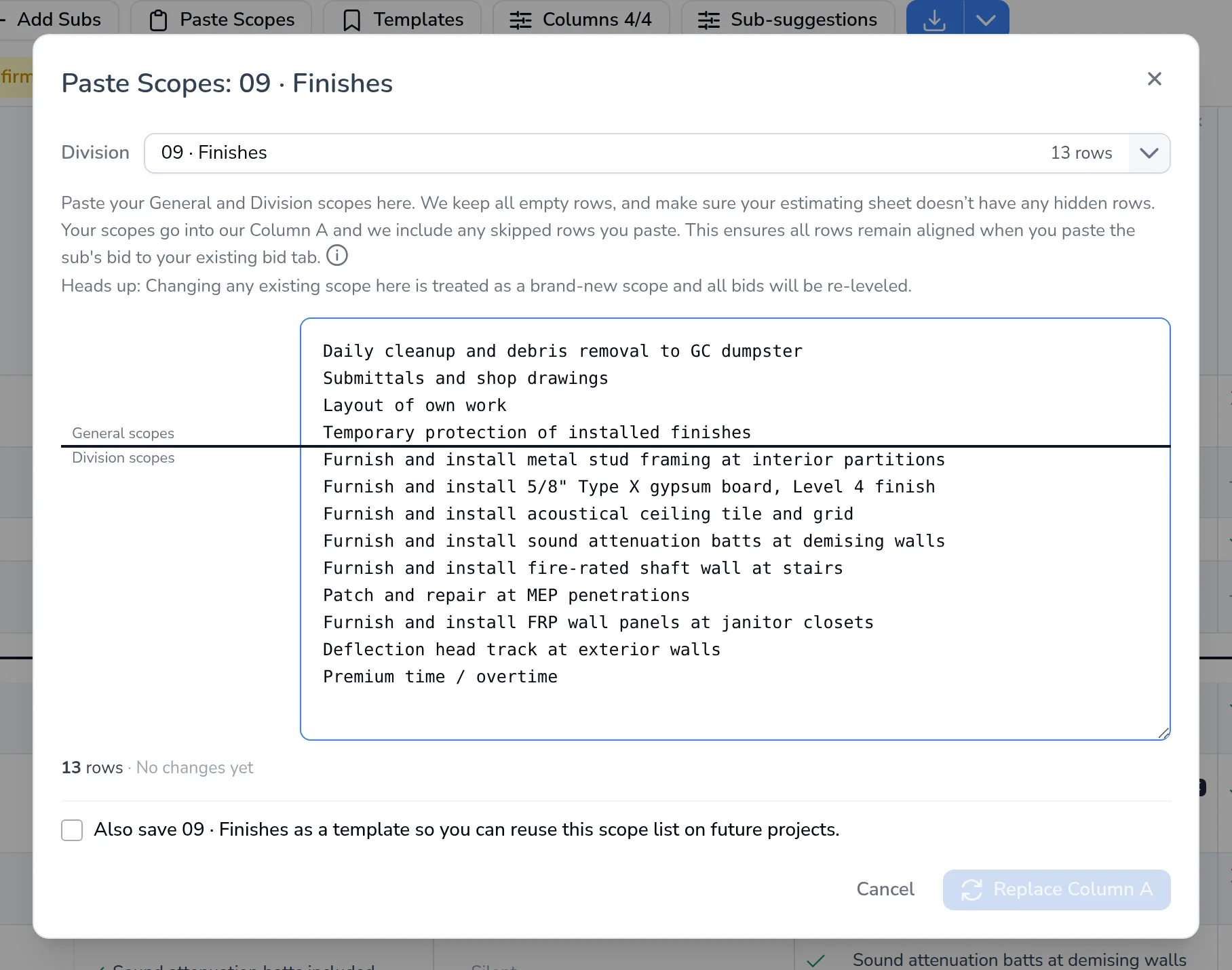
Your bid tab is the Excel or Google Sheets file you use to compare bids. Copy the General and Division scope items from it and use Paste Scopes. They become Column A, blank rows included. We never write your scopes.
Forward Every Sub Bid To The Project Email
Send every sub bid to the project's email address, or upload it. We read each bid, sort it into the right CSI Division as a bid, a supplier quote or misc, pull out the sub's contact info, inclusions, exclusions and price(s), and match each line to your scope items.
Level Bids On Your Own Sheet
Bids are read as they arrive in your ConstructionBevy Project. Pick your preferred sub(s) for each division, see each sub’s CSI trades with a summary on hover, copy those bids next to Column A in your own Excel or Google Sheets bid tab, and finish your leveling. No printing bids and no manual entry of subcontractor information.
Column A
Your Scopes Stay In Your Sheet, Row For Row
Column A is the list of scopes you paste in from your own bid tab, in Excel or Google Sheets. Your General and Division scopes go in as they are, blank rows included. That keeps every row lined up when you paste a sub's bid back into your sheet.
Paste, Pick A Division, Set The Split
Choose the division, paste your General and Division scopes, and say where the General scopes end.
Skipped Rows Stay Skipped
If your sheet has a blank row, Column A has it too. Check your bid tab for hidden rows before you paste. They won’t be included.
We Never Write Your Scopes
You own the scopes and keep your own spreadsheet. We read the bids and line them up against your rows.
Sub Incl / Excl Wait For Your OK
Extra terms and exclusions that subs wrote sit in Sub Incl / Excl. Nothing is added to Column A until you add it.
At A Glance
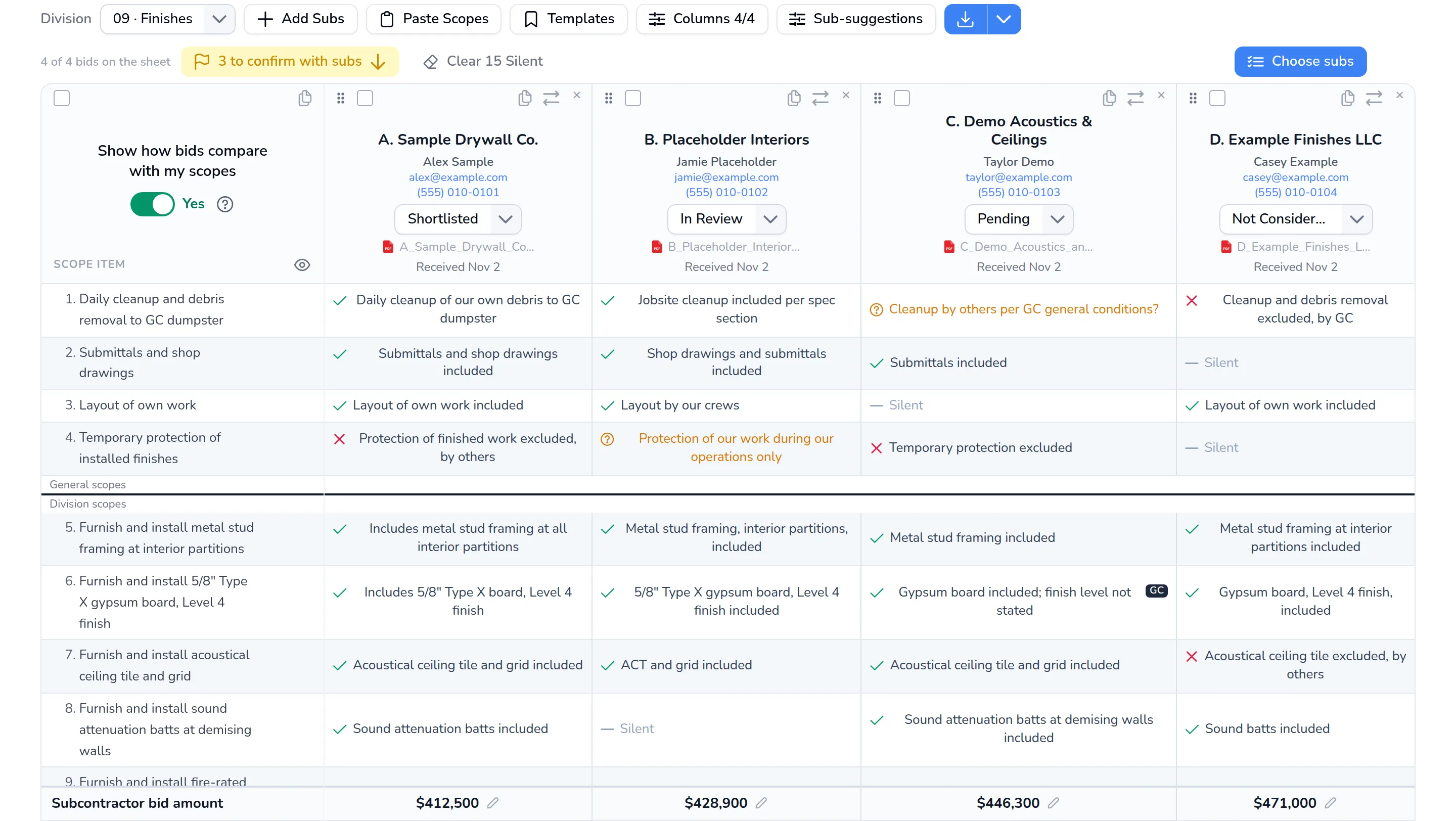
Extracting And Comparing All Bidder Information
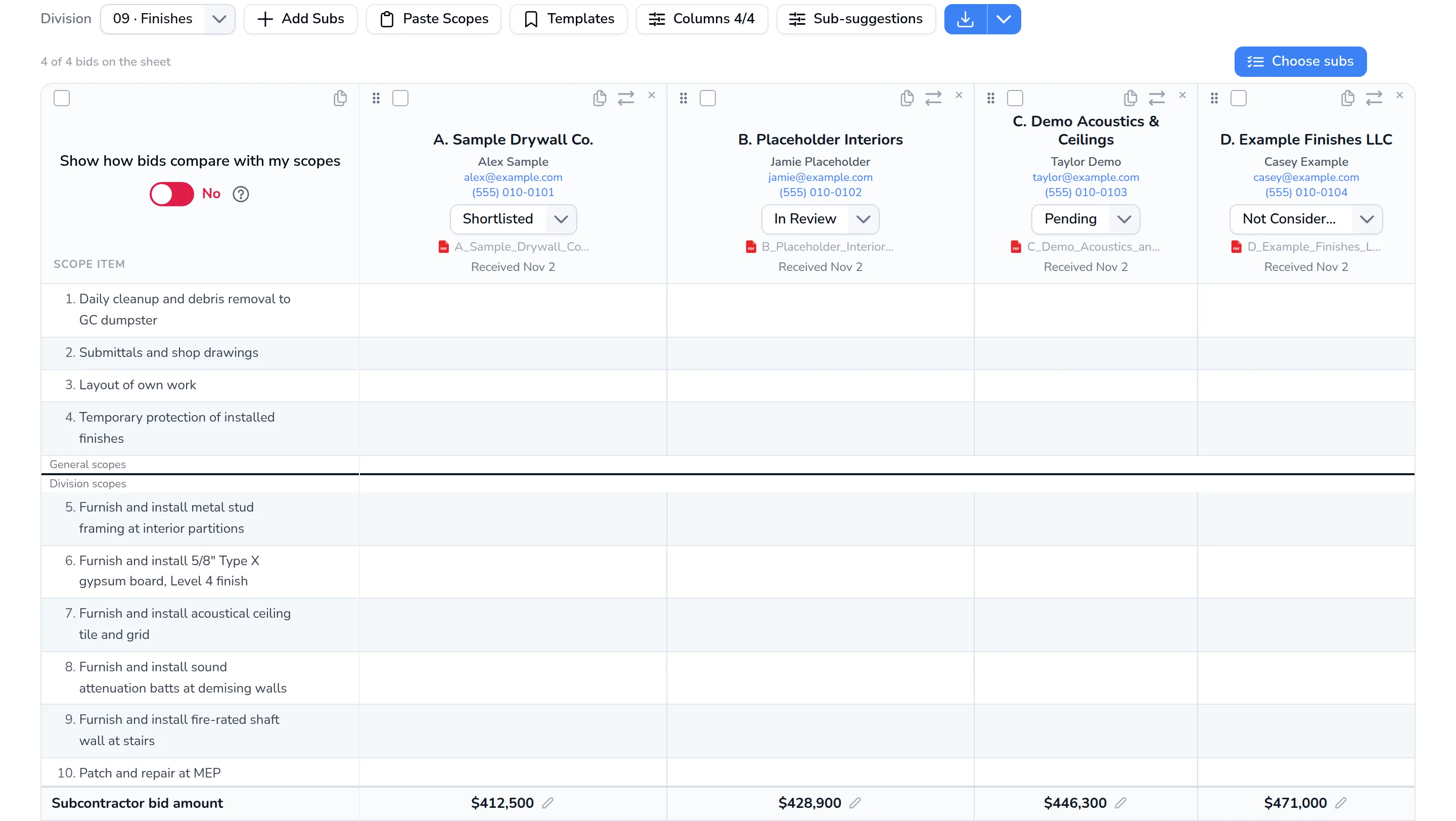
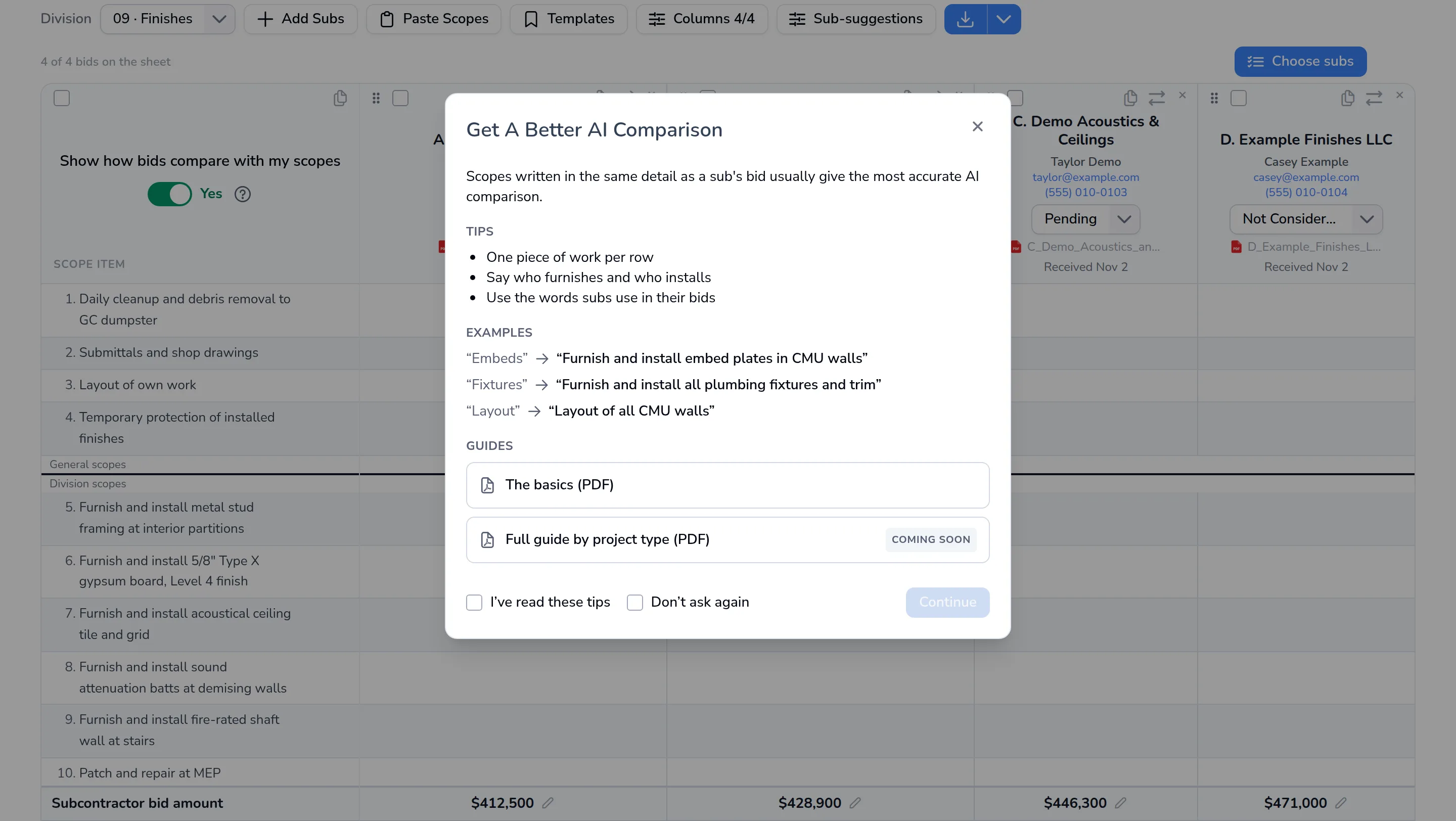
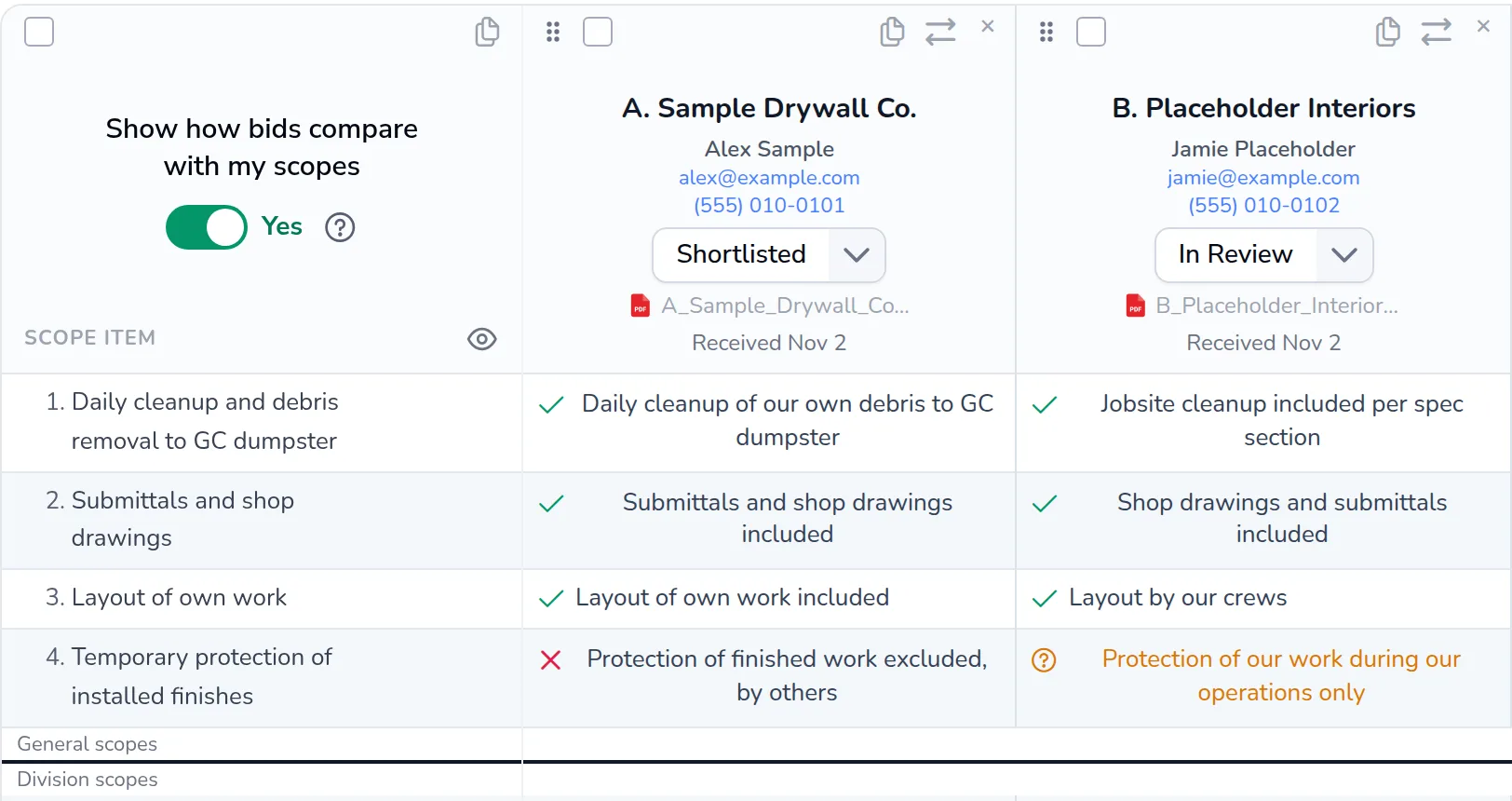
All bids uniformly extracted and displayed. Want a comparison versus your
scopes with more detail? Toggle to green and we’ve got you covered.
Why It Matters
Breeze Through All Bids On Bid Day
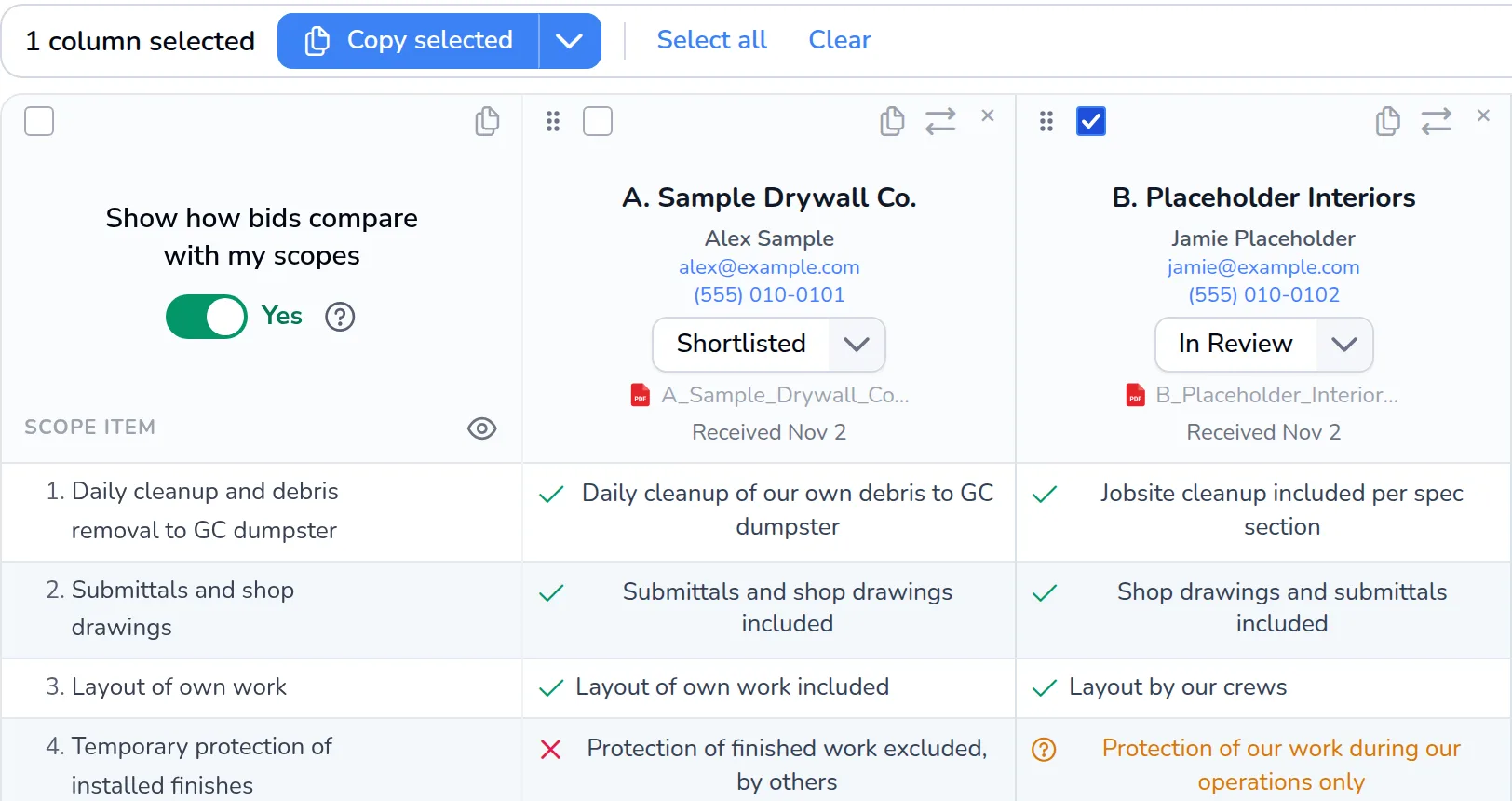
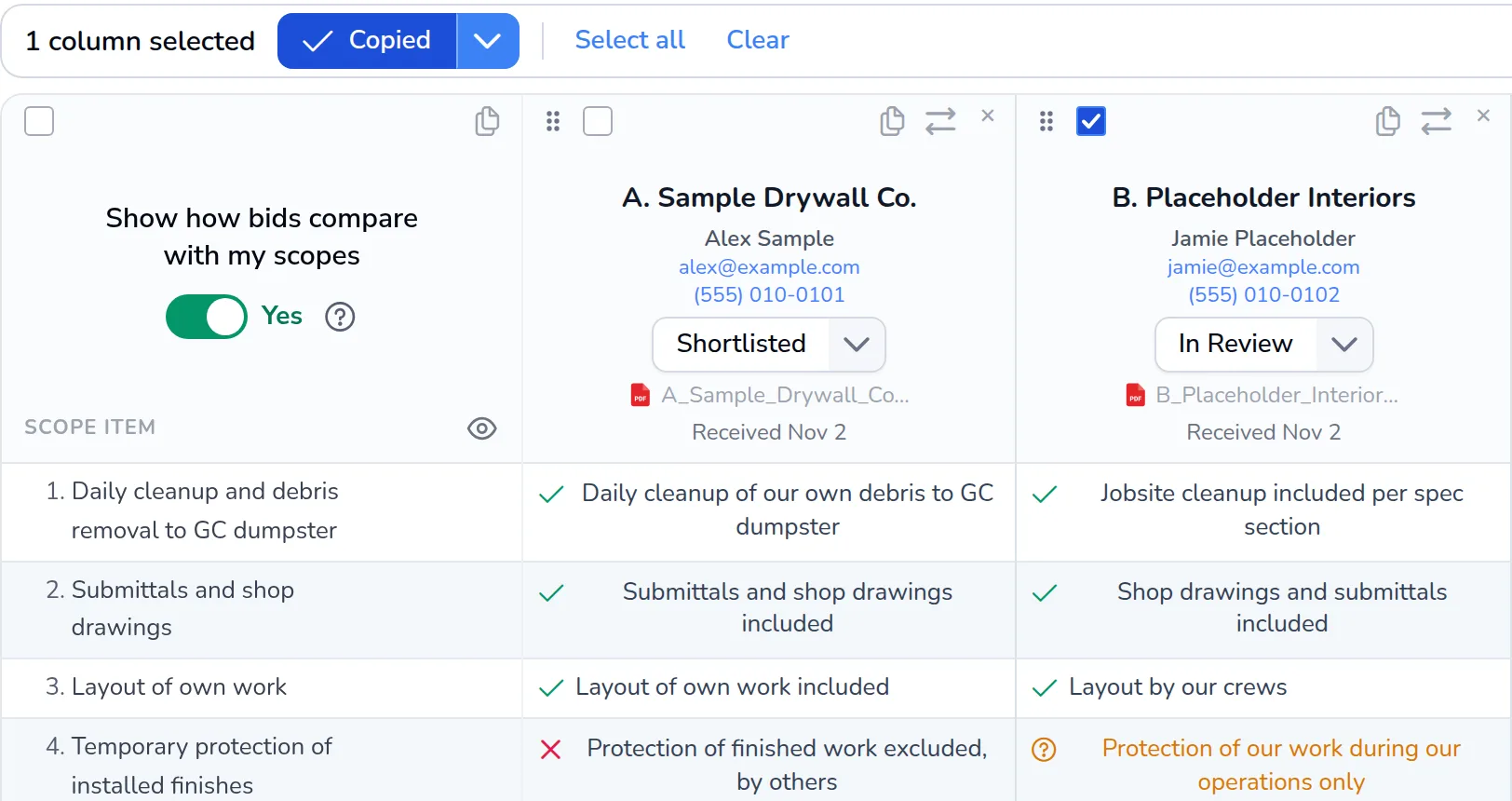
Bids are posted in real time as they arrive. Copy the bids you prefer from our
extraction and paste them next to Column A in your own Excel or Google Sheets bid tab.
ConstructionBevy
Excel or Google Sheets
| Row | A | B | C | D |
|---|---|---|---|---|
| 1 | Scope items | Scope Included | B. Placeholder Interiors | Plug Amount |
| 2 | Daily cleanup and debris removal to GC dumpster | Y | Jobsite cleanup included per spec section | |
| 3 | Submittals and shop drawings | Y | Shop drawings and submittals included | |
| 4 | Layout of own work | Y | Layout by our crews | |
| 5 | Temporary protection of installed finishes | ? | Protection of our work during our operations only | |
| 6 | ||||
| 7 | Furnish and install metal stud framing at interior partitions | Y | Metal stud framing, interior partitions, included | |
| 8 | Furnish and install acoustical ceiling tile and grid | Y | ACT and grid included | |
| 9 | Furnish and install sound attenuation batts at demising walls | - | ||
| 10 | Base Bid | $428,900 |
The Shift
From Manual Data Entry To Real-Time
The leveling work still happens, on your spreadsheet, the manual drudgery doesn't.
The Manual Way
 Judging coverage by how tall the stack of printed bids is
- Organizing and printing all the subcontractor bids
- Manually key in every bid into the "correct" CSI Division
- GC scopes rarely line up with Subcontractor defined scopes
- Exclusions and adjustments are manually added by the Estimator
- One wrong manual entry quietly skews the whole tab

With ConstructionBevy Automation
 Forward bids to your project's own email address in whatever format subs send them, or upload them
- Every bid is read and sorted into the correct CSI Division, as a bid, a supplier quote or misc
- Coverage is the bids that actually arrived for each division, not the size of a printed stack
- Every scope row marked Included, Excluded or Silent, with Inconclusive items listed to confirm with subs
- Copy a bid next to Column A in your own Excel or Google Sheets bid tab
- Export a clean Excel or PDF for one division or the entire project
The Stakes
When Leveling Goes Wrong, It Gets Expensive
Industry research shows what scope bid leveling errors cost once a job is awarded. ConstructionBevy enables the GC to understand every scope row Included, Excluded or Silent.
$56.0M
The Average Construction Dispute
The average U.S. construction dispute reported for 2025 was worth $56.0 million and took 12.2 months to resolve. Errors and omissions in contract documents were the second most common cause.
Source: Arcadis, 2026 Construction Disputes Report (opens in a new tab)
$88.7B
Rework Traced To Bad Data
Decisions made on inaccurate or incomplete project data drove an estimated $88.7 billion in avoidable rework worldwide in 2020, about 14% of all construction rework.
Source: Autodesk and FMI, Harnessing the Data Advantage in Construction (2021) (opens in a new tab)
72%
Can't Fill Estimating Roles
Of contractors with open estimating positions, 72% report difficulty filling them. Fewer estimators means less time to read every bid line by line.
Source: AGC and NCCER, 2026 Workforce Survey (opens in a new tab)


Level Your Next Bid Day On ConstructionBevy
Start free and your first 3 projects are on the house.

Forever Free. No credit card required